Desert Online General Trading LLC
Dubai, United Arab Emirates
Desert Online General Trading LLC
Dubai, United Arab Emirates



💻 Elevate Your Workspace with Precision and Comfort!
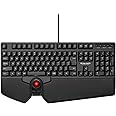
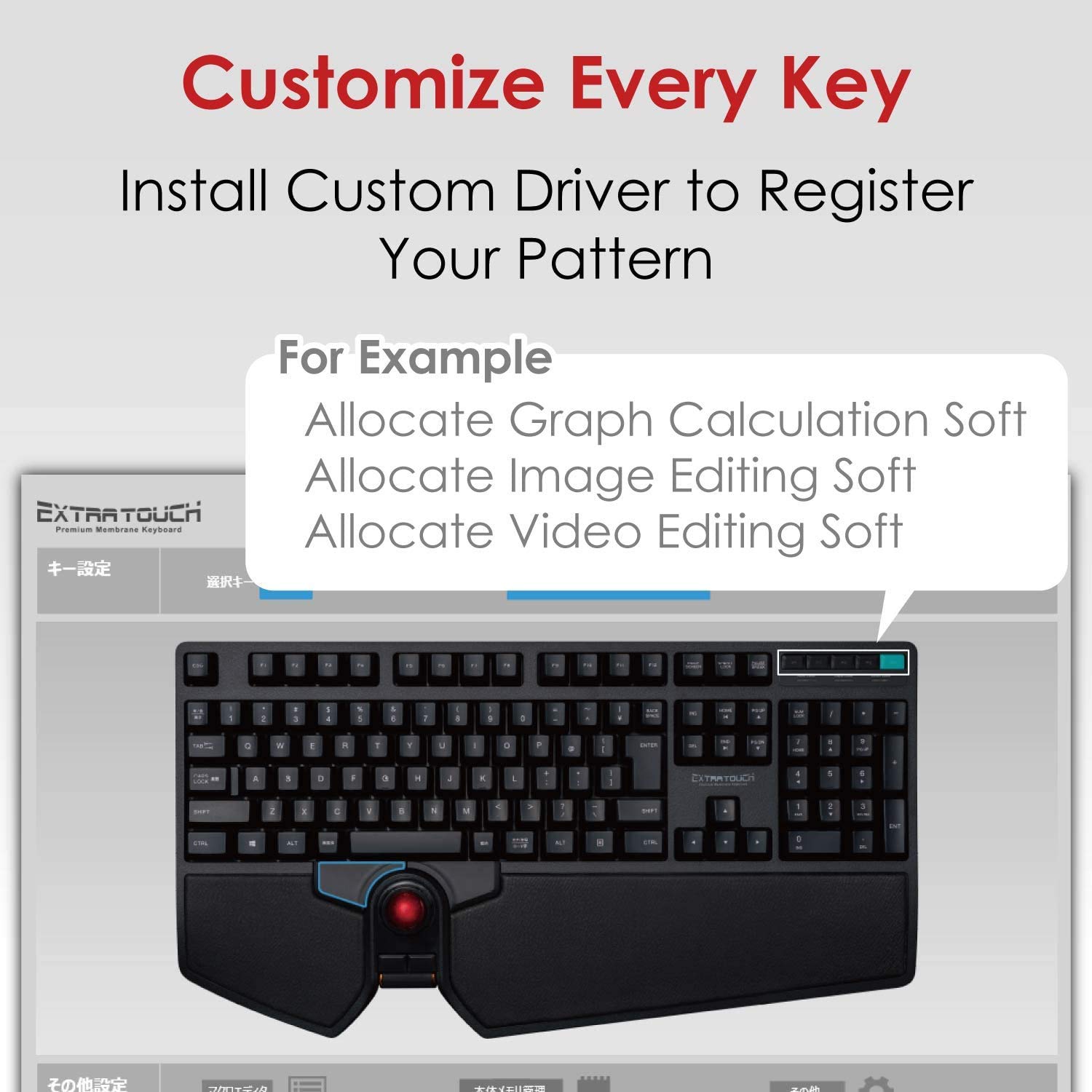
The ELECOM Japanese Layout Wired Keyboard combines ergonomic design with a built-in trackball and scroll wheel, offering a comfortable typing experience and precise control for both gaming and productivity. With a 10 million keystroke lifecycle and non-slip feet, this keyboard is perfect for professionals seeking efficiency and comfort in their daily tasks.


| Brand | ELECOM |
| Series | TK-TB01UMBK |
| Item model number | TK-TB01UMBK |
| Operating System | Windows 8.1, Windows 7, Windows 10 |
| Item Weight | 1.1 pounds |
| Product Dimensions | 9.45 x 17.72 x 1.48 inches |
| Item Dimensions LxWxH | 9.45 x 17.72 x 1.48 inches |
| Color | Black |
| Power Source | Wired |
| Manufacturer | ELECOM |
| ASIN | B07Y3FR73C |
| Is Discontinued By Manufacturer | No |
| Date First Available | October 17, 2019 |
A**R
Finally a comfortable keyboard
Earlier this year I started to get severe RSI pain in my right hand--not from typing, or from moving a mouse, but specifically from mouse clicks and using a scrollwheel. I've been looking for a while for a good alternative, and I've effectively become left-handed for months. There are a lot of 'ergo' keyboards and mice out there but they really seem to be oriented for some other kind of pain that I don't have--this is really clear from vertical mice still having a completely standard scroll wheel on them.One predecessors to this keyboard is a USB Lenovo keyboard with trackpoint, which is fairly good except for scrolling, which is terrible. I liked having the mouse buttons in the middle of the keyboard but I'd tend to use a left-handed mouse instead of trackpoint. Another is an ergo keyboard with a RollerMouse Red. The RollerMouse works wonderfully, and I still use that with a work computer, but it's not compatible with Linux and it takes up a lot of space and many keyboards aren't that comfortable to use with it. A keyboard I got right before this one is a Perixx with a scroll wheel and mouse buttons in the middle of the keyboard, but no mouse. That one really wasn't worth it, the scroll wheel hardly scrolled at all, and the rest of the keyboard was very cheap, I stopped using that keyboard within a day and went looking for another--which is when I found this one.So how's this keyboard? It has a small removable mouseball which takes some getting used to; with my high sensitivity I tend to want to keep a finger on the mouse when clicking or just taking a finger off will jerk the pointer away from what I'm wanting to click on. For buttons it has large and easy to press right/left buttons, and then tiny and fairly stiff back/forward buttons, and then a *very* nice scrollwheel positioned for a thumb rather than a finger. I just have no complaints at all about the mouse, it's exactly what I'd wanted from every prior keyboard that I tried. I especially like that it's in the center of the keyboard as I can give my (still weak) right hand some slack when mousing around. I can use what's most comfortable. For the rest of the keyboard, I doubt these are Cherry switches but they're comfortable enough, and the keyboard as a whole feels very nice, from the soft palmrest to the soft plastic. It doesn't feel like it's made out of metal but it also doesn't feel cheap at all. I wish the keyboard were backlit and that it had some media buttons, that's all.How about the layout? This is a JP keyboard with a layout that will unfamiliar to a US English user, not for letters which are still QWERTY, but for punctuation which varies a bit, and for having extra keys for Japanese input modes and such. As I'm comfortable touch typer I just reset the layout to ANSI standard, but there are a few extra keys I'm not sure what to do with yet, and I'm still getting used to hitting the left ALT instead of the other key that's there. I'd prefer an ANSI layout but this layout is very workable; the only thing I really don't like is the backspace key, to the point that for now I've mapped the Yen key next to it as an additional backspace.The mouseball, although it's removable, it's not removable by finger. You're going to want some q-tips.
M**L
Remember your keys
Wonderful spring back. Spacebar is a little small. And certain keys are not what is printed, but if you remember how to type it won't matter.
E**R
Non-USA key layout & sequence - some keys show a different Character
I have used many keyboards over the years and this is by far the worst of all of them.Issues:1. Some key insert a character other than what is shown on the key2. Some keys are in different position & row than on US keyboard3. Some frequently used keys are as tiny as regular keys - unlike US keyboards like: a. Backspace b. DeleteIf you want a keyboard like a Vegas slot machine - this is for youIf you want to enter characters you see - gat a US designed keyboard instead of this junk.
P**S
It's exactly what I wanted... except for some of the key mapping
I wanted an in-keyboard trackball because my home office setup also includes my personal computer and two keyboards and two mice were taking up space and it was a nuisance trying to give myself enough space to move a mouse around.I like the feel of the keys though I wish they were a little firmer, but that's just personal preference.I'm using this one for my work computer, which is a Mac (MBP), and Mac processed and accurately detected that it was a Japanese keyboard, but I definitely see some problems with key mapping vs what is printed on the keys; SHIFT+2 should be @ and displays as such, but the keyboard indicates ", and that's just the first example I have. I have a great use of the | key and where it's indicated on the keyboard, does nothing, and is actually mapped to what is shown as the ]/} key.Thankfully I don't have to look to type most things, but there will definitely be a learning curve in addition to attempting to remark those keys.
J**W
Sturdy and Functional
I intentionally purchased this keyboard with trackball mouse after doing allitle reach. It has proven itself to be a sturdy and extremely functional unit. I will continue use and plan to do another review in the future after seeing how well the device does over time, but so far so good
A**S
Read the instructions about key mapping before rating
MOST PEOPLE THAT GIVE THIS KEYBOARD 1 STAR DID NOT READ THE INSTRUCTIONS!!!I have only had this keyboard a few days. I really wanted a keyboard with some kind of mouse built in. I have an Elecom trackball mouse, that I really like, so I wanted to give this one a try. This keyboard feels very well built. At first, I didn't like the trackball. It is small and the dpi seems a little high, but I got used to it quickly, even using it well in CAD. The backspace and right shift key are a little small. These are all things that you can get used to pretty quickly.The key layout is different from normal US keyboards. Once you enable the Japanese keyboard layout, the keys will match what you type. It's also pretty easy to switch back to a US mapped keyboard in Windows.
M**N
The most comfortable, excellent keyboard I've had.
The layout is great with great placement of the trackball related to the keyboard.Smooth and accurate trackball movement. Very precise.Easy transition of languages between English and Japanese. (I've just started learning Japanese recently.)Great tactile feedback on the keys.Also very importantly the keyboard layout is enhanced by the rising staircase effect of the keys from front to back on each row that makes it easy to be precise on the keystroke.The keyboard feet are non-slip, this keyboard won't move unless you want it to.Last but not least is the wrist-rest that is large and very comfortable.The scrolling roller is also easy to use and accurate.I was hesitant spending so much for a keyboard, but with all the hours I put in behind the keyboard, it is more than worth it. The quality is so good, I threw away all my old keyboards after using this one..
A**Z
Teclado práctico y completo
Me gusta que, una vez que se acostumbra a la disposición de las teclas y botones del trackball, es muy práctico, ahorrador de cansancio y de espacio. Además, el reposa manos es muy bueno en su inclinación y textura.El único detalle, que no va en contra del buen uso, es que presenta algunas teclas en japonés, lo mismo que su manual. ¡Urge! que lo traduzcan...
&**&
造りと耐久性に難あり
この配置のトラックボール付きキーボードは他に類がなく、狭いスペースでの作業に非常に助かるのですが、いかんせん作りが安っぽく、ボール手前のマウスボタンは押すと固く、また軋んで使い心地が非常に悪いです。また、ホイールは読み取りセンサーの誤動作かチャタリングのようなものなのか、読み取られる回転が実際の方向と頻繁に逆になり、スクロールがうまくできません。
ベ**ベ
ごめんなさい
個人的にはいい商品だと思うけど、コピペやウインドウを右往左往するような作業には向いてないです。普通のマウスとキーボードを使ったほうが絶対に良い!
オ**ェ
マウス不要
トラックボールに慣れると、これ以上の物はありません。ただ、、スクロールホイールが、ガチャガチャうるさく重いのが残念です
D**R
デカいですが、トラックボールが効率を上げてくれます。
事務作業をしていて、一々マウスに手を持っていくのが煩わしく感じてこの商品を買いました。劇的に効率よくとはいきませんが、僕が思った範囲で作業は効率よくなりました。
Trustpilot
5 days ago
2 months ago